
UI/UX DESIGN COMPLETE COURSE
This course provides a comprehensive introduction to the principles, tools, and techniques of User Interface (UI) and User Experience (UX) design. Whether you’re starting a career in design or looking to enhance your digital product skills, this course will equip you with practical knowledge to create intuitive, user-centered designs.
WHAT IS UI/ UX DESIGN?
UI/UX design refers to two closely related areas in product design, especially for digital products like websites, apps, and software:
- UI (User Interface) Design
- Focuses on the look and feel of a product.
- Deals with visual design elements such as colors, typography, icons, buttons, spacing, and layout.
- Goal: To make the product aesthetically appealing, consistent, and easy to navigate.
Example: The color of a “Sign Up” button, the style of menus, and the arrangement of elements on a page.
- UX (User Experience) Design
- Focuses on the overall experience a user has while interacting with a product.
- Involves research, usability testing, wireframing, prototyping, and user journey mapping.
Goal: To make the product functional, user-friendly, and enjoyable, solving the user’s problems with minimal friction.
ENTRY REQUIREMENT
- Basic Computer knowledge
- No prior coding knowledge is required.
- Backgrounds in graphic design, psychology, human-computer interaction, or computer science can be helpful.
- Self-taught designers and those who transition from other fields (like IT, marketing, or even customer service) are common.
What You’ll Learn:
- Core concepts of UI and UX
- Design thinking and user-centered design process
- Wireframing and prototyping (low to high fidelity)
- User research and usability testing
- Visual design principles (typography, color, layout)
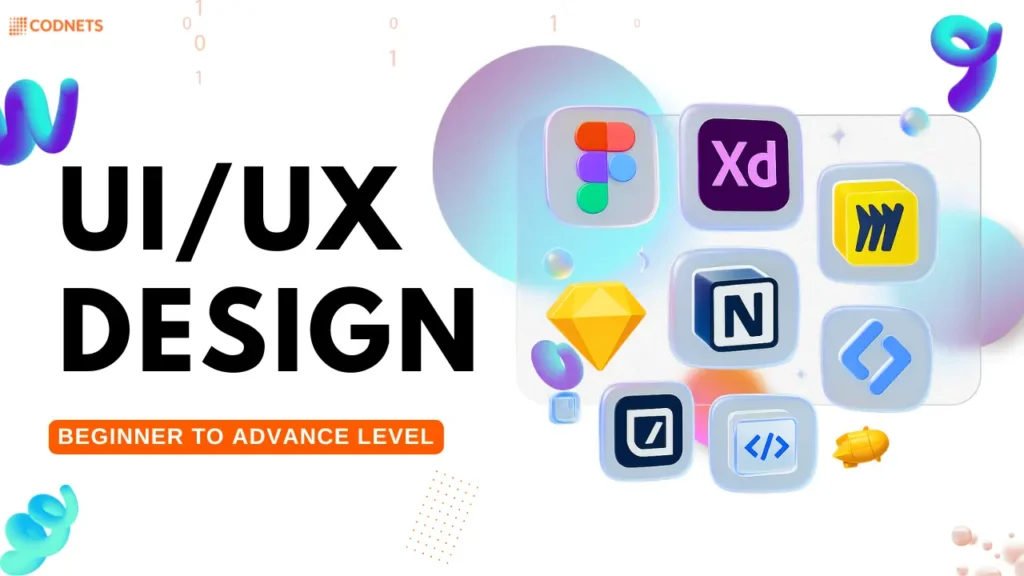
- Tools: Figma, Adobe XD, Sketch, etc.
- Responsive and mobile-first design
- Collaboration with developers and product teams
Who This Course Is For:
- Aspiring UI/UX designers
- Graphic designers transitioning to digital design
- Product managers and developers wanting to understand UX
- Entrepreneurs building user-centric products
Course Outcomes:
By the end of the course, students will be able to:
- Conduct user research and create personas
- Design wireframes and interactive prototypes
- Apply usability principles to real-world projects
- Build a professional UI/UX design portfolio
SKILLS YOU WOULD HAVE LEARNT AT THE END OF THE PROGRAM
- Figma, Adobe XD, Sketch
- Miro, Notion, Whimsical
- InVision, Zeplin, Overflow
HTML/CSS basics (optional but valuable)
COURSE SYLLABUS
Beginner Level: Foundations of UI/UX
- What is UX (User Experience)?
- What is UI (User Interface)?
- Differences and overlaps
- Importance of UI/UX in product design
- Research
- Design
- Prototyping
- Testing
- Implementation
- Contrast, alignment, repetition, proximity
- Visual hierarchy
- Consistency
- Affordance and feedback
- User personas
- User journey maps
- Empathy maps
- Problem statements
- Sketching interfaces
- Low-fidelity wireframes
- Tools: Balsamiq, Figma, Adobe XD
Intermediate Level
Practical Skills and Tools
- Typography
- Color theory
- Grids and spacing
- Icons and imagery
- Figma (or Sketch/Adobe XD)
- Frames, components, constraints
- Design systems
- Prototyping interactions and transitions
- Surveys & interviews
- Usability testing
- A/B testing
- Card sorting
- Creating user flows
- Site maps
- Navigation patterns
- Responsive design principles
- Breakpoints
- Touch targets
- Platform guidelines (iOS vs Android)
Advanced Level
Strategy & Real-World Application
- Atomic design principles
- Creating and maintaining design systems
- Branding consistency
- WCAG guidelines
- Color contrast
- Screen reader design
- Inclusive design principles
- Microinteractions
- Transitions and delays
- Tools: Figma Smart Animate, Principle, ProtoPie
- Writing for clarity and action
- Error messages, button labels, tooltips
- Case study creation
- Resume tips for designers
- Building a strong design portfolio
- Freelancing vs full-time roles
Suitable Job Roles
UI/UX Designer
UI Designer
UX Strategist
UX Researcher
UX Strategist
Product Designer
Leadership & Strategy Roles
Design Lead / UX Lead
Design Manager
Head of Design / Director of UX
Chief Experience Officer (CXO)
COURSE BRIEF
- Course Title: UI/UX Design Fundamentals
- Duration: 4 months instructor-led Training
- Level: Beginner to Advance Level
- Format: Online Training with Series of Projects
- Regular Assignments & Case Studies
SCHEDULES
- Days: Monday – Friday
- Duration: 1hr Everyday
- Time: 9pm (CST)